SMS TradeStation Order Alerts with Email2SMS
9 Jan 2024Introduction
TradeStation offers email alerts through the trade manager preferences but to enhance this with more responsive SMS we can send the email to SBMG to use Email2SMS. This is a relatively simple integration with a few simple settings for your mailbox TradeStation will be able to send the email and with an SBMG pro plan invoke an SMS to your mobile for a variety of TradeStation order confirmations.How To
After setting up Email2SMS in your account as guided here, we can configure email alerts in TradeStation. From TradeManager open your preferences: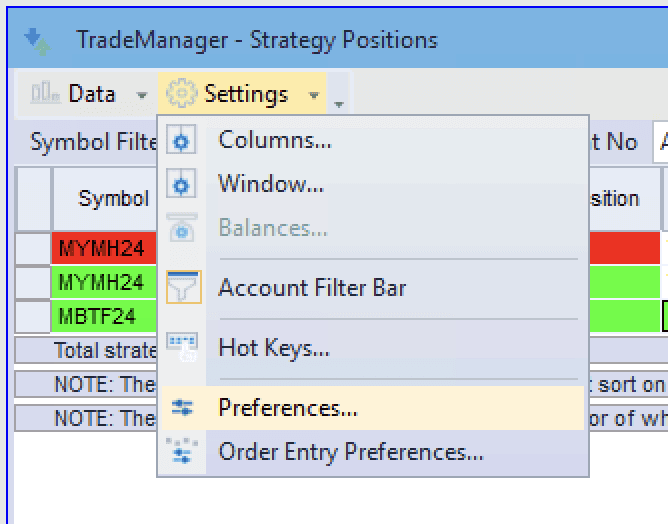
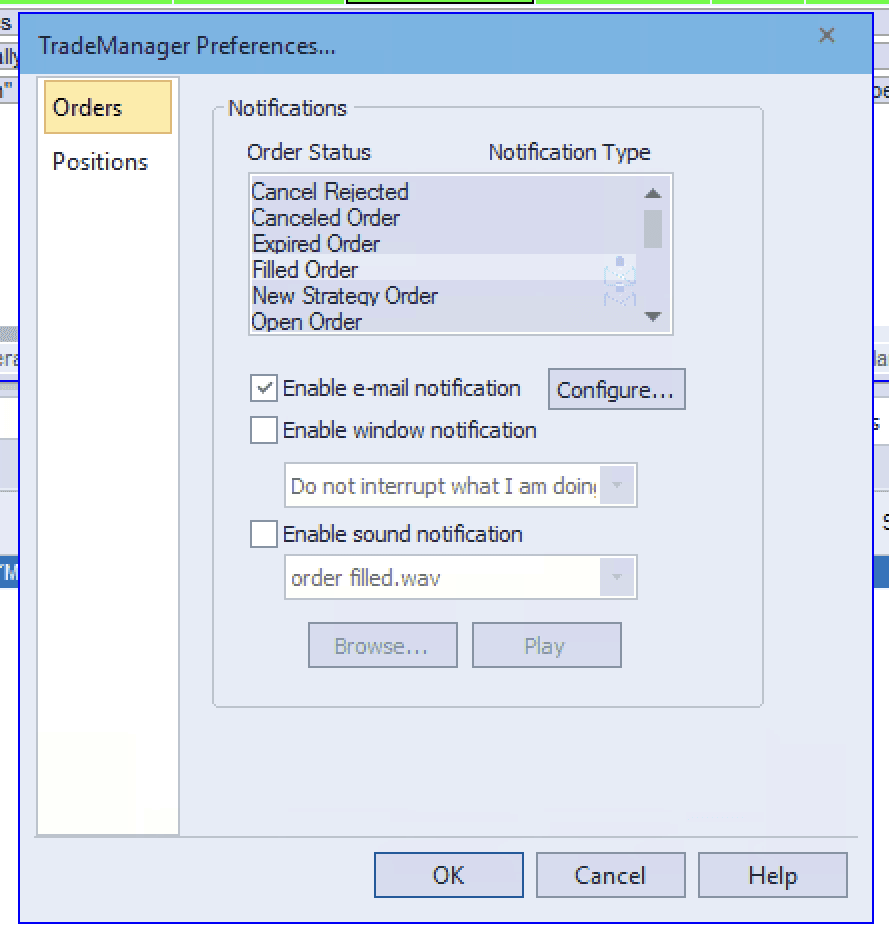
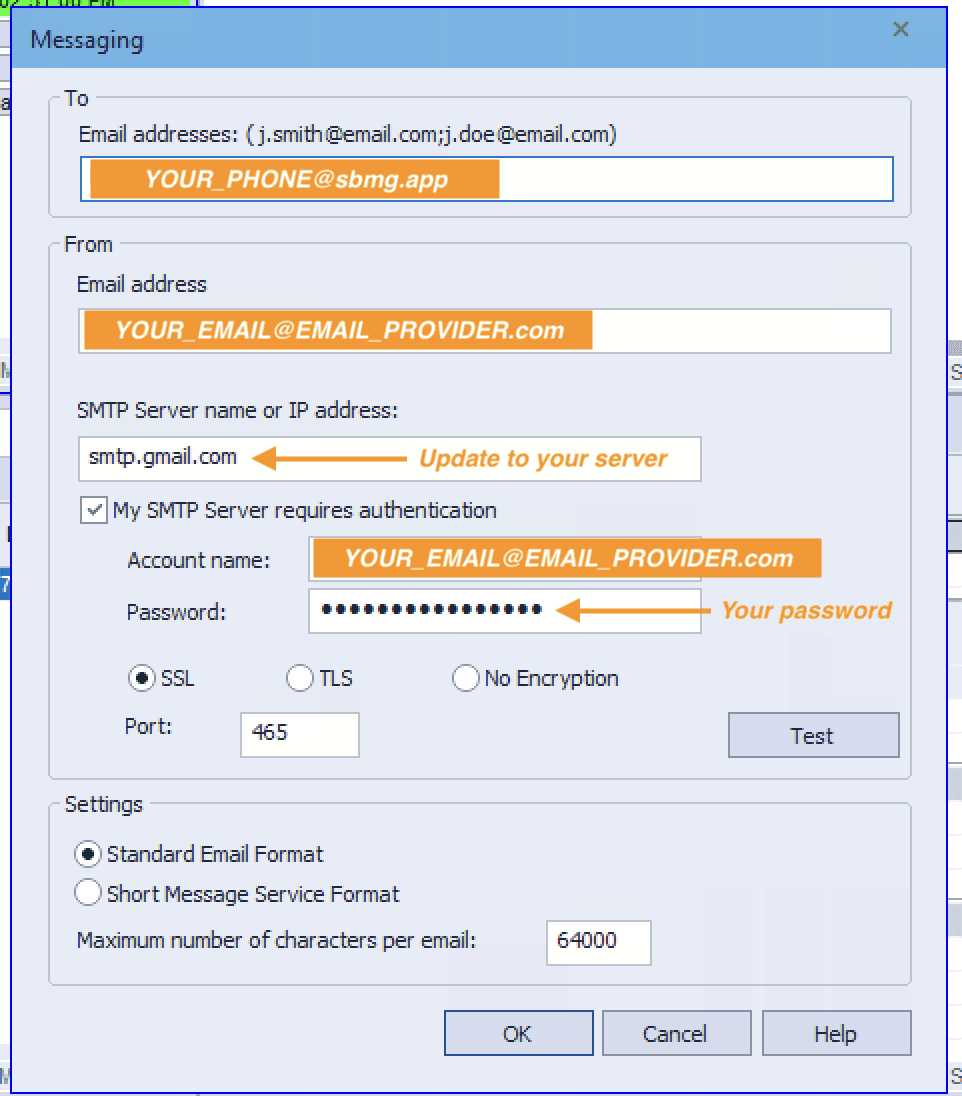
+64215678899) followed by ‘@sbmg.app’. Your end result will be something like +6422987456@sbmg.app. Easy!
The sending email will have some variation depending on your email service but a search for your email ‘SMTP server settings’ should yield results for most services. Here we will work with Google Workspace settings found here (this resource might change over time). The key unknown details are the SMTP server name or IP and the port depending on the protocol (SSL/TLS/None). For Gmail one option is smtp.gmail.com with SSL port 465. Enter these settings and for account name and password simply add the Google Workspace email and password. Depending on your organisation settings you may need to use an app password as TradeStation isn’t using 2FA for this process, in such case follow the details here for how to generate an app password and use this in place of your password.
A quick click of the ‘Test’ button should yield a successful result before saving your settings.